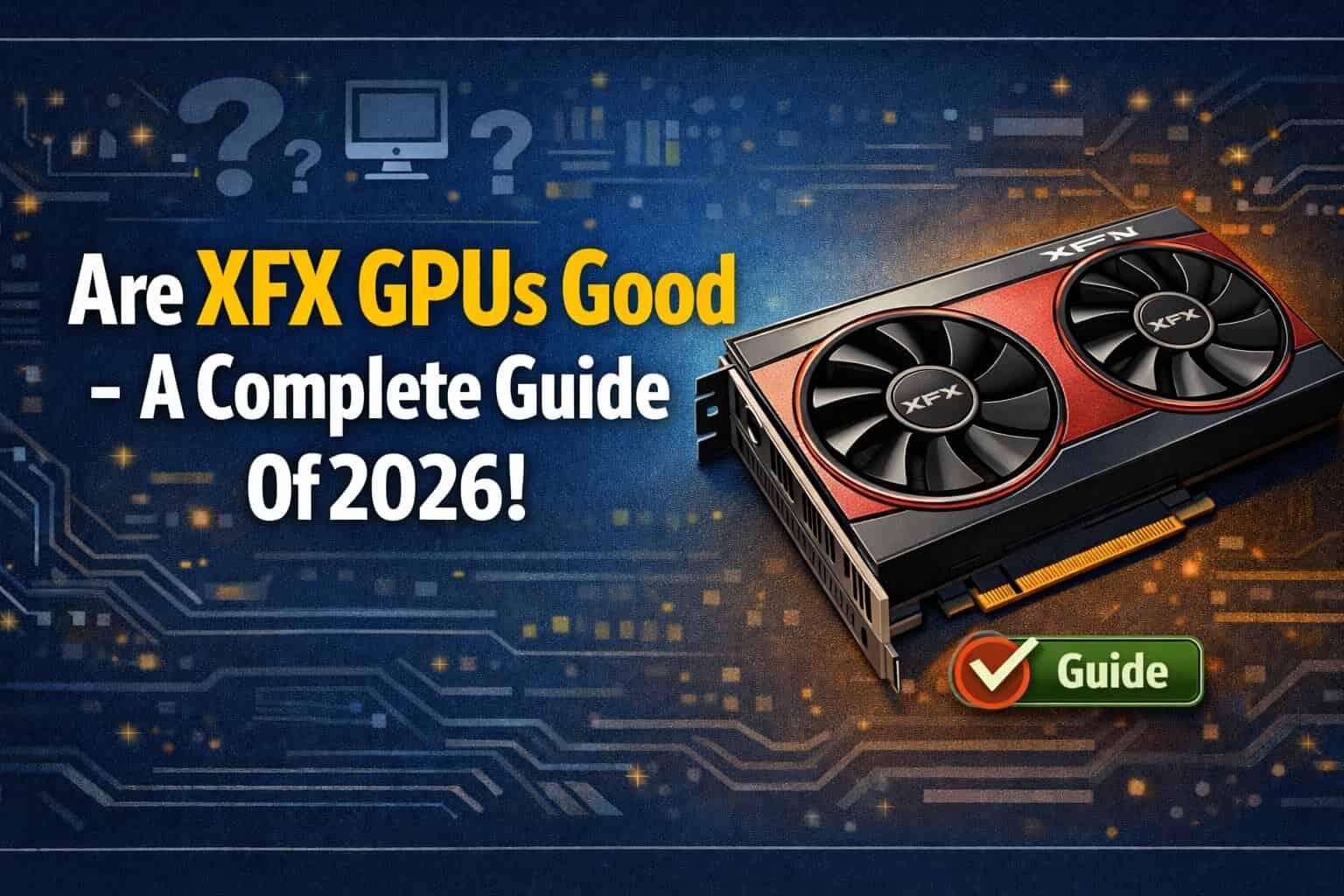
Graphics cards are one of the most important parts of a computer, especially for gaming, video editing, and heavy software use. Many people ask one common question: Are XFX GPUs good?
Yes, XFX GPUs are generally good. They focus on solid build quality, reliable performance, and competitive pricing, especially for AMD Radeon cards. While they may not have flashy features like RGB or premium cooling found on some other brands, XFX delivers stable gaming performance and good value for money, making them a sensible choice for many gamers.
This article gives a clear and honest answer. We will look at XFX GPU quality, performance, cooling, pricing, gaming results, and reliability.
If you are thinking about buying an XFX graphics card, this guide will help you decide.
What Is XFX?
XFX is a hardware company that makes computer parts, mainly graphics cards and power supplies. The company was founded in 2001 and is known for making AMD-based GPUs.
Important points about XFX:
- XFX mainly works with AMD Radeon GPUs
- It does not make NVIDIA GPUs
- It sells GPUs for gaming, work, and general use
- XFX products are sold in many countries
XFX is not a new brand. It has been in the GPU market for many years.
Are XFX GPUs Reliable?
Yes, XFX GPUs are generally reliable when used properly.
XFX uses AMD reference designs and adds its own cooling and build changes. Most users report stable performance with no major problems.
Reliability depends on:
- Proper airflow in your PC case
- A good power supply
- Correct driver installation
- Normal usage without extreme overclocking
For normal gaming and daily use, XFX GPUs work well and last for years.
Build Quality of XFX GPUs
XFX GPUs usually have strong and solid build quality.
Materials Used
- Metal backplates on most models
- Strong plastic shrouds
- Durable PCB design
Higher-end models like XFX MERC and XFX QICK series feel more premium compared to budget GPUs.
Budget models may use simpler materials, but they are still safe and functional.
Cooling Performance of XFX GPUs
Cooling is very important for GPU performance and lifespan.
How Good Is XFX Cooling?
XFX GPUs have good cooling, especially in mid-range and high-end models.
Cooling features include:
- Dual-fan or triple-fan designs
- Large heat sinks
- Heat pipes for better heat transfer
- Zero RPM fan mode (fans stop at low temperature)
Temperature Performance
- Idle temperatures are usually low
- Load temperatures stay within safe limits
- Fans can be a bit loud on some models under heavy load
Overall, cooling performance is good but not the quietest compared to some premium brands.
Gaming Performance of XFX GPUs
Gaming performance depends on the AMD GPU model, not just the brand.
XFX GPUs use the same AMD chips as other brands like Sapphire, PowerColor, and ASUS.
Example Gaming Performance
- RX 6600 / RX 6650 XT: Good for 1080p gaming
- RX 6700 XT / RX 6750 XT: Strong 1440p gaming
- RX 6800 / RX 6900 XT: High-end gaming
- RX 7800 XT / RX 7900 series: Modern AAA gaming and ray tracing
You get the same FPS as other AMD partner brands.
Are XFX GPUs Good for 1080p Gaming?
Yes, XFX GPUs are very good for 1080p gaming.
Cards like:
- RX 6500 XT
- RX 6600
- RX 6650 XT
They can run:
- Fortnite
- GTA V
- Call of Duty
- Valorant
- PUBG
- Apex Legends
Most games run at high or ultra settings at 1080p.
Are XFX GPUs Good for 1440p Gaming?
Yes, many XFX GPUs handle 1440p gaming well.
Recommended models:
- RX 6700 XT
- RX 6750 XT
- RX 6800
You can expect:
- Smooth gameplay
- High settings in most games
- Stable frame rates
For competitive gaming, these GPUs perform very well.
Are XFX GPUs Good for 4K Gaming?
XFX GPUs can handle 4K gaming, but it depends on the model.
Best choices for 4K:
- RX 6900 XT
- RX 6950 XT
- RX 7900 XT
- RX 7900 XTX
At 4K resolution:
- Some games need settings adjustment
- Ray tracing performance is weaker than NVIDIA
- FSR helps improve performance
4K gaming is possible, but high-end models are recommended.
XFX GPU Software and Drivers
XFX uses AMD Adrenalin Software, not custom software.
Driver Experience
- AMD drivers are stable
- Regular updates
- Easy performance tuning
- Built-in features like FSR and Radeon Boost
You do not need extra software from XFX. Everything is managed through AMD tools.
Overclocking on XFX GPUs
XFX GPUs support overclocking, but they are not made for extreme overclocking.
You can:
- Increase core clock slightly
- Adjust fan curve
- Improve performance a bit
However:
- High overclocking can increase heat
- Fans may get loud
- Warranty may be affected
Light overclocking is safe. Extreme overclocking is not recommended.
Power Consumption of XFX GPUs
Power usage depends on the GPU model.
General idea:
- RX 6600 series: Low to medium power use
- RX 6700–6800 series: Medium power use
- RX 7900 series: High power use
Make sure you have:
- A good quality power supply
- Enough wattage for your GPU
XFX GPUs follow AMD power standards.
Noise Levels of XFX GPUs
Noise levels are average.
- Idle: Very quiet
- Gaming: Fans become noticeable
- Heavy load: Fans can be loud
Triple-fan models are quieter than dual-fan models.
If you want silent performance, you may need to adjust fan curves manually.
Price and Value for Money
XFX GPUs are often cheaper than other brands.
Why XFX Is Affordable
- Simple design
- Focus on performance, not looks
- No RGB on most models
This makes XFX a good value choice for budget and mid-range buyers.
You get:
- Same performance
- Lower price
- Solid quality
XFX vs Other GPU Brands
XFX vs Sapphire
- Sapphire has better cooling
- XFX is usually cheaper
- Performance is the same
XFX vs ASUS
- ASUS has premium build
- XFX offers better value
- ASUS costs more
XFX vs PowerColor
- Very similar quality
- Cooling is close
- Price depends on region
XFX competes well with other AMD partner brands.
Common Problems With XFX GPUs
No brand is perfect. Some users report:
- Loud fans under load
- Large GPU size (may not fit small cases)
- Coil whine on some units
These issues are not common and exist in many GPU brands.
Warranty and Customer Support
XFX offers:
- Standard GPU warranty
- Online support
- RMA service
Support quality depends on region. In most cases, warranty claims are handled properly.
Always buy from an authorized seller.
Are XFX GPUs Good for Content Creation?
Yes, XFX GPUs are good for:
- Video editing
- Photo editing
- Streaming
- 3D work
AMD GPUs work well with:
- Adobe software
- DaVinci Resolve
- Blender
However, NVIDIA GPUs perform better in some professional tools.
Are XFX GPUs Good for Mining?
XFX GPUs were popular for mining in the past.
Now:
- Mining profitability is low
- Gaming is the main focus
If you buy a used XFX GPU, check if it was used for mining.
Who Should Buy an XFX GPU?
XFX GPUs are good for:
- Gamers on a budget
- AMD GPU users
- 1080p and 1440p gamers
- Users who want value over looks
You may skip XFX if:
- You want RGB lighting
- You want very silent GPUs
- You prefer NVIDIA GPUs
Is XFX a good GPU brand?
Yes, XFX is considered a good GPU brand, especially for AMD Radeon cards. It is known for solid build quality, strong cooling designs, and competitive pricing. XFX focuses mainly on performance rather than flashy RGB. While customer support varies by region, their GPUs are generally reliable and popular among budget and mid-range gamers.
What is the weakest GPU of all time?
The weakest GPUs are typically very old integrated or entry-level cards, such as Intel GMA graphics or early low-end GPUs like the NVIDIA GeForce 210. These GPUs lack modern features, have extremely low performance, and cannot handle modern games or workloads. They were designed mainly for basic display output, not gaming or heavy graphics tasks.
Is XFX AMD or Nvidia?
XFX is an AMD-exclusive GPU brand. It currently manufactures only AMD Radeon graphics cards. In the past, XFX also produced Nvidia GPUs, but it later partnered exclusively with AMD. Today, all XFX GPUs are based on AMD Radeon architectures and drivers.
Why did XFX stop making Nvidia?
XFX stopped making Nvidia GPUs due to business and partnership changes. Nvidia revised its partner policies, and XFX chose to focus exclusively on AMD instead. This allowed XFX to specialize in AMD GPU designs, optimize cooling solutions, and build a stronger brand identity around Radeon graphics cards.
Are XFX GPUs worth it?
Yes, XFX GPUs are generally worth it, especially if you want good performance at a competitive price. They often cost less than some premium brands while delivering similar gaming performance. Their cooling designs are effective, and build quality is solid. They may lack extra features, but performance-per-dollar is usually strong.
Are XFX cards reliable and good?
XFX cards are considered reliable for everyday gaming and long-term use. They use quality components and sturdy designs. Like all brands, occasional failures can happen, but overall reliability is good. Proper cooling, a good power supply, and updated drivers help ensure long-lasting performance from XFX graphics cards.
Are XFX GPUs good for gaming?
Yes, XFX GPUs are good for gaming, especially AMD-based titles and modern AAA games. They deliver stable performance, good thermals, and competitive frame rates. XFX cards are commonly used in mid-range and high-end gaming builds. They may not have premium aesthetics, but gaming performance is solid.
Is XFX a good GPU brand in 2026?
As of recent trends, XFX remains a good GPU brand in 2026 for AMD Radeon cards. It continues to focus on performance, cooling, and value. While it may not compete in premium branding, XFX still offers reliable GPUs with strong price-to-performance ratios, making it a good choice for gamers and builders.
Is XFX RX 580 good?
The XFX RX 580 is still decent for older and esports games at 1080p. It can handle titles like CS2, Valorant, and Fortnite at medium settings. However, it struggles with modern AAA games. It is a good budget option for older systems but not ideal for new high-end gaming builds.
Is Apex CPU or GPU intensive?
Apex Legends is more GPU-intensive, especially at higher resolutions and graphics settings. However, the CPU still matters for maintaining stable frame rates, particularly in large fights. A balanced system with a strong GPU and a decent CPU provides the best performance, especially for competitive high-FPS gameplay.
Why is my GPU at 100%?
A GPU running at 100% means it is fully utilized, which is normal during gaming, rendering, or heavy workloads. It indicates the GPU is doing its job. If this happens while idle, background apps, driver issues, or malware may be the cause. High usage alone is not harmful.
Is 74°C bad for GPU?
No, 74°C is not bad for a GPU. This temperature is well within the safe operating range for most modern graphics cards. GPUs are designed to handle temperatures up to around 85–90°C. As long as performance is stable and fans are working properly, 74°C is considered healthy.
Is 87°C too hot for GPU?
87°C is close to the upper safe limit for many GPUs. While it may not cause immediate damage, sustained temperatures at this level can lead to thermal throttling and reduced lifespan. Improving airflow, cleaning dust, or adjusting fan curves can help lower temperatures and improve long-term GPU health.
Is Tarkov GPU or CPU intensive?
Escape from Tarkov is more CPU-intensive than many games. It relies heavily on CPU performance for AI, physics, and large maps. While a good GPU is still important, a strong CPU has a bigger impact on FPS and smooth gameplay, especially during intense combat and large-scale scenarios.
Is 44°C good for GPU?
Yes, 44°C is an excellent GPU temperature. This is typically seen during idle or light workloads. It indicates good cooling and airflow. There is no risk to the GPU at this temperature, and it shows that the cooling system is working efficiently.
Is 53°C GPU temp good?
Yes, 53°C is a very good GPU temperature. It is common during light gaming or moderate workloads. This temperature is far below any thermal limit and ensures stable performance and long-term reliability. No action is needed at this temperature level.
Is 60°C safe for GPU?
Yes, 60°C is completely safe for a GPU. This is a normal temperature during gaming or sustained workloads. GPUs are designed to operate safely at much higher temperatures. As long as temperatures stay below around 85°C, the GPU is operating within a healthy range.
Final Verdict: Are XFX GPUs Good?
Yes, XFX GPUs are good.
They offer:
- Strong gaming performance
- Solid build quality
- Good cooling
- Competitive pricing
- Reliable AMD-based GPUs
XFX is a smart choice if you want good performance at a lower price without extra features.
FAQs
Are XFX GPUs safe to buy?
Yes, XFX GPUs are safe and reliable when bought new from trusted sellers.
Do XFX GPUs overheat?
No, temperatures stay normal if airflow and power supply are good.
Is XFX better than ASUS?
ASUS has premium features, but XFX offers better value for money.
Are XFX GPUs good for gaming?
Yes, XFX GPUs perform very well in modern games.
Does XFX make NVIDIA GPUs?
No, XFX only makes AMD Radeon graphics cards.

Jerry Smith brings a decade of hands-on experience at Tesla, specializing in electric vehicle engineering, battery systems, and market analysis. As both an automotive practitioner and passionate investor, he blends technical insight with stock-market savvy to demystify Tesla’s innovations and financial narrative.
Related Posts